
DRIVER’S LICENSE
Student Permit, New License & Renewal GuideExplore driver’s license services in the Philippines with clear guidance on student permits, new license applications, renewals, eligibility, requirements, examinations, and applicable fees.
Already have a driver’s license? Follow our License Renewal Guide
LTMSPortal.info is an independent informational website and is not affiliated with or endorsed by the Philippine Land Transportation Office (LTO).
Understanding Driver’s License Services in the Philippines
The Philippine Land Transportation Office (LTO) handles student permits, new driver’s licenses, and license renewals. The LTMS Portal supports eligible licensing transactions.
Whether you are learning to drive, applying for your first license, or renewing an existing one, each service has different requirements and procedures.
Student Permit
Learn about eligibility, driving education, and the permit application process.
New Driver’s License
Explore first-time licensing requirements, examinations, and application procedures.
Driver’s License Renewal
Check renewal requirements, applicable CDE steps, and processing information.
Student Permit in the Philippines: Overview & Eligibility
A Student-Driver’s Permit is issued by the Land Transportation Office (LTO) to qualified applicants who want to learn how to operate a motor vehicle.
It is an important first step before applying for a regular driver’s license. Student drivers must follow supervision requirements and other LTO regulations.
Minimum age for eligible Filipino applicants.
Additional residence and stay requirements apply.
Who Can Apply for a Student Permit?
- Filipino applicants must be at least 16 years old.
- Foreign applicants must be at least 18 years old, with the required proof of stay in the Philippines.
- Must be physically and mentally fit to drive.
- Must be able to read and write in Filipino or English.
- Must complete the required Theoretical Driving Course (TDC).
- Must have no unsettled traffic violations.
Student Permit Validity
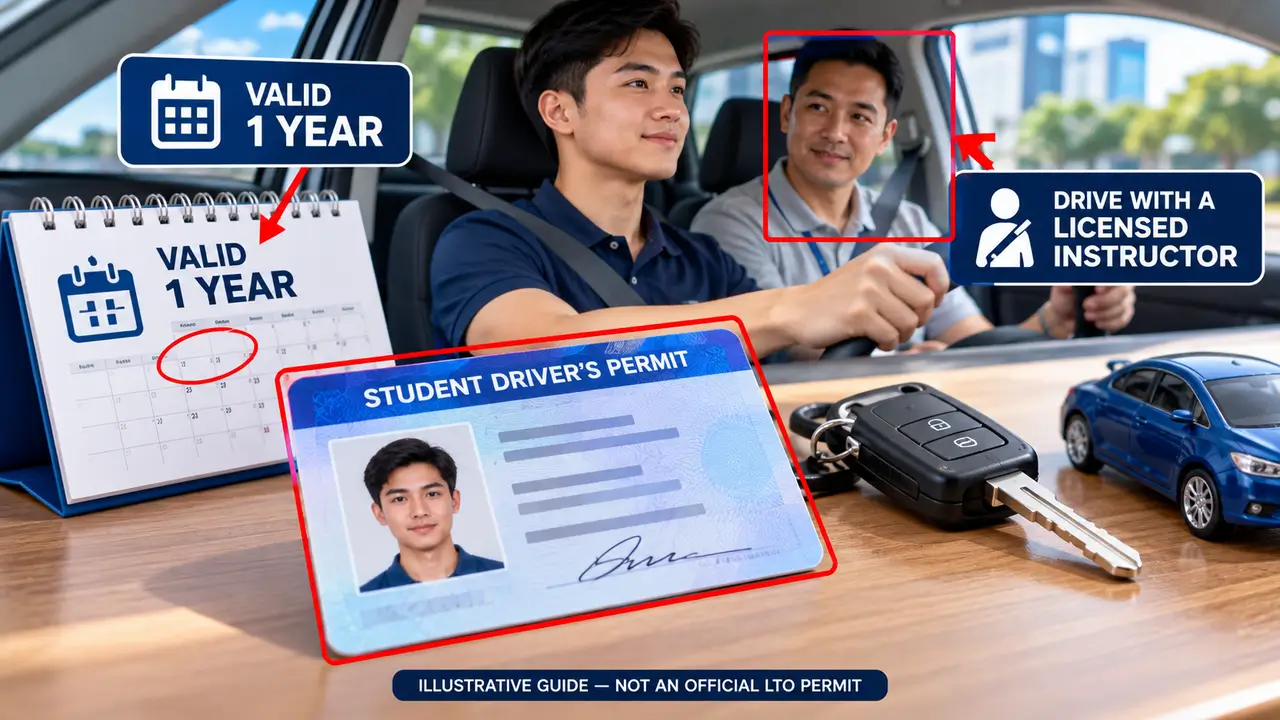
A Student Permit is generally valid for one year from its issuance date. Renewal and subsequent license application rules depend on LTO requirements.
Driving Restrictions
A Student Permit does not authorize independent driving. Practice driving requires supervision by a qualified, appropriately licensed driver under applicable LTO rules.
Documents Required for an LTO Student Permit
Prepare the necessary identification, medical, and driving education documents before submitting your Student Permit application.
General Documentary Requirements
Commonly required for new Student-Driver’s Permit applicants.
1. Application Form (APL)
Complete the Application for Permits and Licenses (APL) with accurate personal details.
2. Medical Certificate
Obtain a medical certificate from an LTO-accredited clinic. It must be electronically transmitted to the LTO system. Bring the required original and photocopy.
3. Proof of Identity and Age
Prepare your birth certificate, Philippine passport, or other identity and age records accepted by the LTO. Additional civil-status documents may apply.
4. Theoretical Driving Course
Present the required Certificate of Completion for the 15-hour Theoretical Driving Course (TDC). Completion must be recorded electronically as required.
5. Valid Identification
Bring an accepted ID with your photograph and signature, together with the photocopy required by the LTO.
6. LTMS Client ID
Keep your LTMS account or LTO Client ID details available for the application process.
For Applicants Below 18
- Written consent from a parent or qualified guardian.
- Original and photocopy of the parent’s or guardian’s valid government-issued ID with photo and signature.
For Foreign Applicants
- Passport showing the required date of entry.
- Visa or other accepted proof of the required stay in the Philippines.
- PSA-authenticated birth certificate, where applicable to foreign nationals born in the Philippines.
Other Applicable Details
- Taxpayer Identification Number (TIN), if employed.
- Supporting civil-status documents, if required.
- Original copies and photocopies according to the checklist for your transaction.
Important: Student Permit requirements may vary based on nationality, age, civil status, and current LTO procedures. Electronic transmission of a certificate does not automatically remove any document presentation requirements. Confirm the latest checklist before visiting an LTO licensing office.
View Official LTO Citizen’s Charter ↗Theoretical Driving Course (TDC): Complete Guide
Before applying for a Student Permit, applicants must complete the required Theoretical Driving Course (TDC). This course teaches essential road rules, driving responsibilities, and safety fundamentals.
How to Complete the TDC
-
Choose an Authorized Provider
Enroll at an LTO-accredited driving school, LTO Driver Education Center, or authorized training center.
-
Attend the Required Lessons
Complete the minimum 15-hour course following the provider’s approved schedule and attendance rules.
-
Complete the Assessments
Take the required examinations and meet the passing requirements for successful course completion.
-
Receive Your TDC Certificate
Obtain your completion certificate and confirm that the institution has transmitted the required record to the LTO system.
What Will You Learn?
- ✓ Traffic rules, road signs, signals, and pavement markings
- ✓ Road courtesy and defensive driving responsibilities
- ✓ Hazard recognition and road crash prevention
- ✓ Vehicle safety inspections and basic vehicle operation
- ✓ Parking, driving maneuvers, and safe road behavior
- ✓ LTO procedures and applicable transportation laws
TDC Certificate & LTMS Records
The Certificate of Completion confirms that you successfully finished the required training. Your authorized provider must transmit the completion information to the LTO system. Keep your certificate and applicable supporting documents for your Student Permit application.
Important: TDC is different from the Practical Driving Course (PDC). Course availability, delivery format, training charges, and enrollment procedures may vary by provider. Confirm the institution’s LTO accreditation before enrolling.
How to Apply for a Student Permit Through LTMS
Follow the official LTMS application process to submit your Student Permit request, select an appointment, and complete the required LTO processing.
-
Sign In to LTMS
Visit portal.lto.gov.ph and log in using your registered LTMS account credentials.
-
Select Student Permit
Open the available Licensing service, review the terms, and choose Student Permit for a new application.
-
Complete Application Details
Review the required personal information and follow instructions for adding or verifying your medical certificate and other records.
-
Choose Your Appointment
Select your preferred LTO office, appointment date, and available time slot when prompted.
-
Review Fees and Confirmation
Follow the payment instructions for your transaction. Keep the official receipt and application confirmation for reference.
-
Visit the Selected LTO Office
Bring your original documents and required copies. Complete document checking, identity verification, biometrics, and permit processing.
Important Before You Apply
Online application availability, appointment schedules, payment methods, and exact processing steps may vary. A Student Permit application is not automatically completed simply by submitting an online form.
LTMS Licensing & Medical Certificate Verification
Learn how to access the Licensing service, select your Student Permit application, and verify the medical certificate issued by an LTO-accredited clinic.
Open the licensing service.
Select the relevant license classification.
Prepare the certificate number from your clinic.
Check the response displayed by LTMS.
-
Open Licensing
Sign in to the official LTMS Portal and select Licensing.
-
Review the Terms
Read and accept the Licensing Terms of Use, if prompted.
-
Select Student Permit
Choose the Student Permit classification for your application.
-
Add Your Medical Certificate
Select the available option to add your certificate and enter its number as provided by the accredited clinic.
-
Verify the Certificate
Click Verify and check whether the system recognizes your medical record.
-
Continue Your Application
If verification succeeds, follow the remaining Student Permit application instructions.
Verification not working? Double-check the certificate number. If the record cannot be found, contact the issuing LTO-accredited clinic to confirm that it was electronically transmitted.

Open the Official LTMS Portal and Sign In
Begin your Student Permit application by accessing the official Land Transportation Management System (LTMS) Portal. You must sign in to your registered account before proceeding to the available licensing services.
- 1 Open your browser and visit https://portal.lto.gov.ph/.
- 2 Click Log In on the official portal homepage.
- 3 Enter your registered Email Address or LTO Client Number.
- 4 Type your account Password and complete the Security Code when requested.
- 5 Click Sign In. After successful authentication, your LTMS account dashboard should appear.
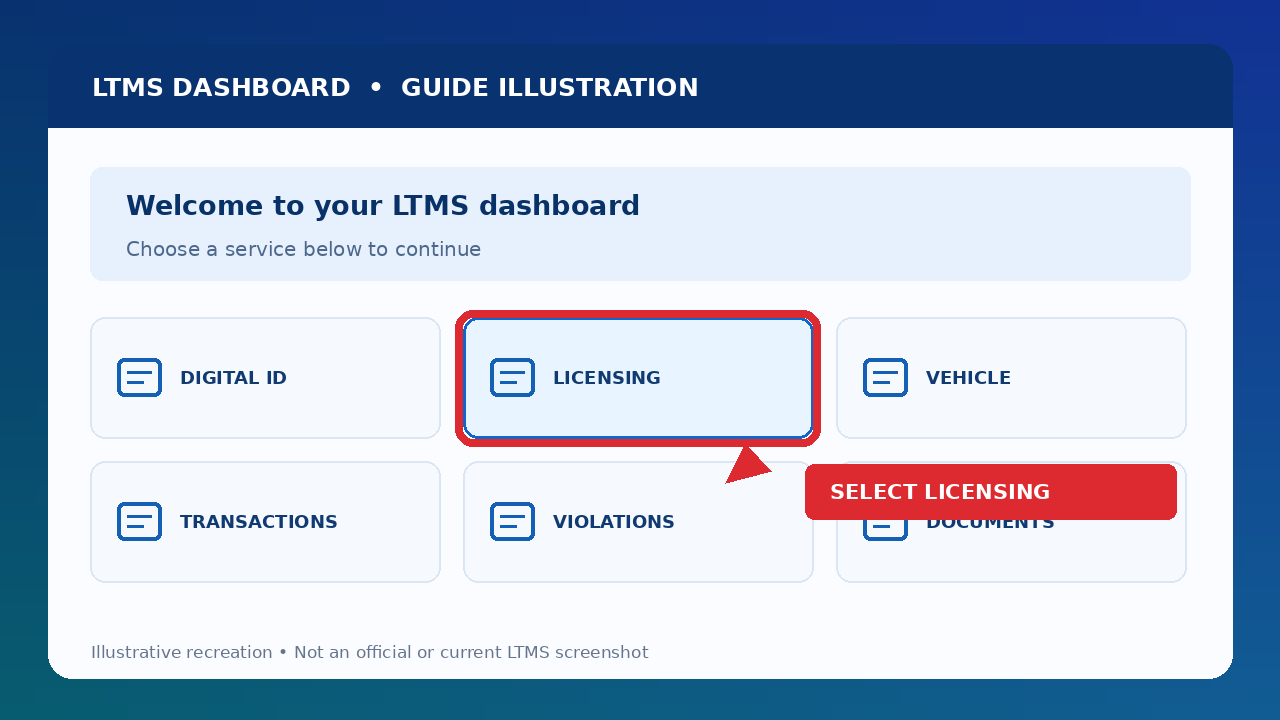
Select Licensing From Your LTMS Dashboard
After signing in successfully, you will reach your LTMS Dashboard. This dashboard gives you access to available LTO services, including licensing transactions.
- Check that you are signed in to the correct LTMS account.
- Look for the Licensing option on your dashboard.
- Click Licensing to open the available license-related services.
- Read the displayed instructions or Terms of Use before continuing.
- Proceed to the available license classification options.
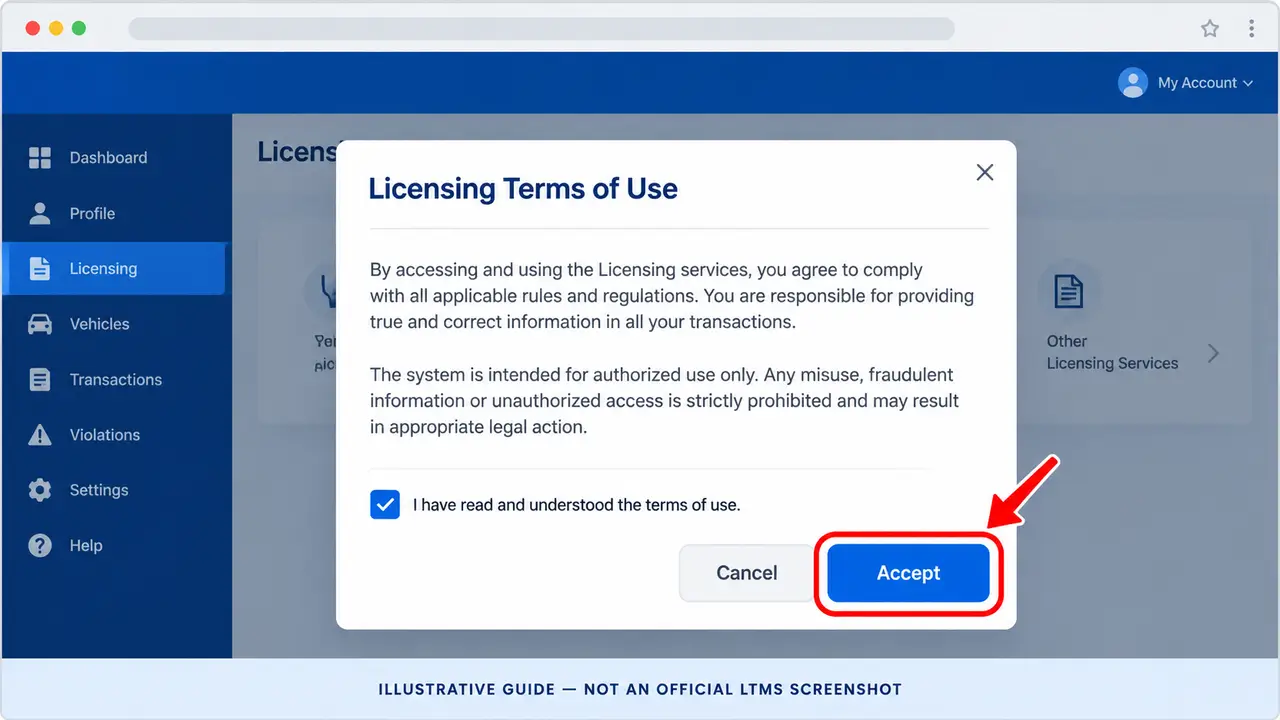
Read and Accept the Licensing Terms of Use
After selecting Licensing, the LTMS Portal may display its Terms of Use. These explain the conditions for accessing licensing services and submitting information through the system.
- Wait for the Licensing Terms of Use page or dialog to appear.
- Read the displayed terms carefully, including the rules for using the portal and providing accurate application information.
- Scroll through the terms if the portal requires you to review the full agreement.
- Select the acknowledgment option if one is displayed and you agree to the terms.
- Click Accept or the equivalent confirmation button shown on your screen.
- Continue to the Online Application page, where the available license classifications appear.
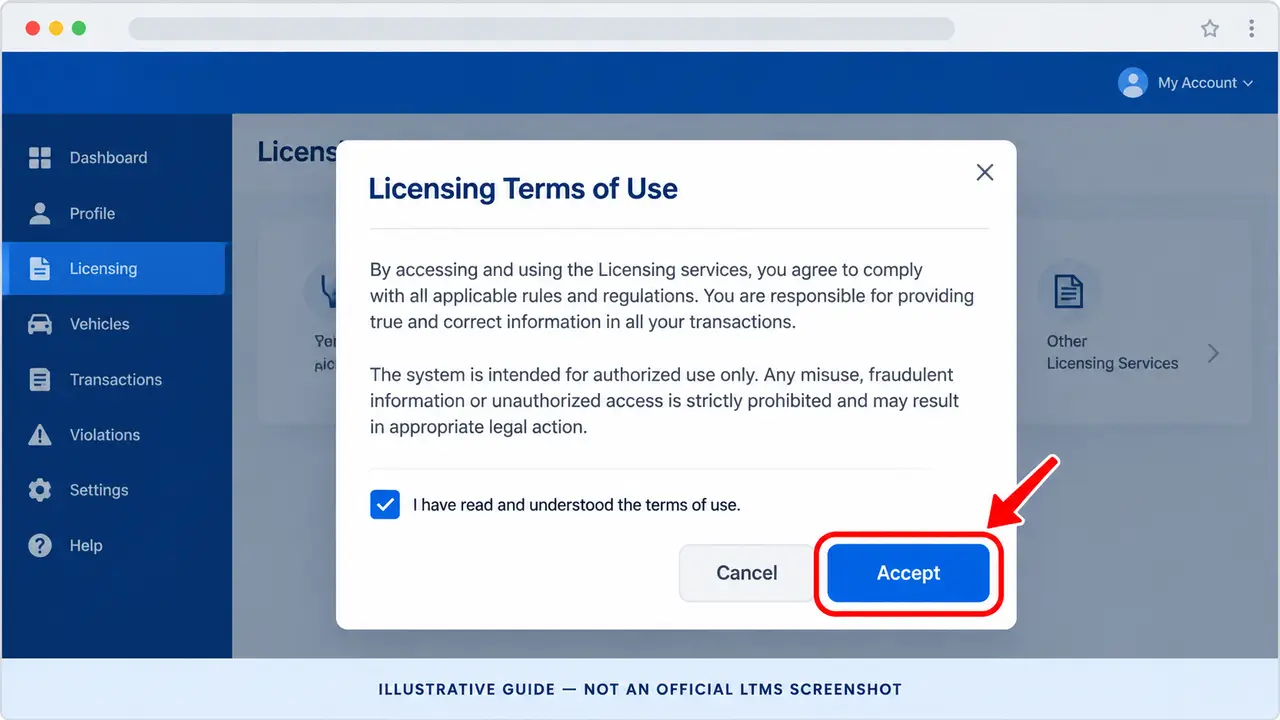
Read and Accept the Licensing Terms of Use
After opening the Licensing service, the LTMS Portal may display its Licensing Terms of Use. Read the agreement carefully before continuing with your Student Permit application.
- Wait for the Licensing Terms of Use page or dialog to appear.
- Read the displayed terms, conditions, and instructions carefully before proceeding.
- Scroll through the agreement if the portal requires you to review the full text.
- If an acknowledgment checkbox appears, select it only after reading and agreeing to the terms.
- Click Accept or the equivalent confirmation button shown on the official portal.
- Continue to the next application screen and review the available license classification options.
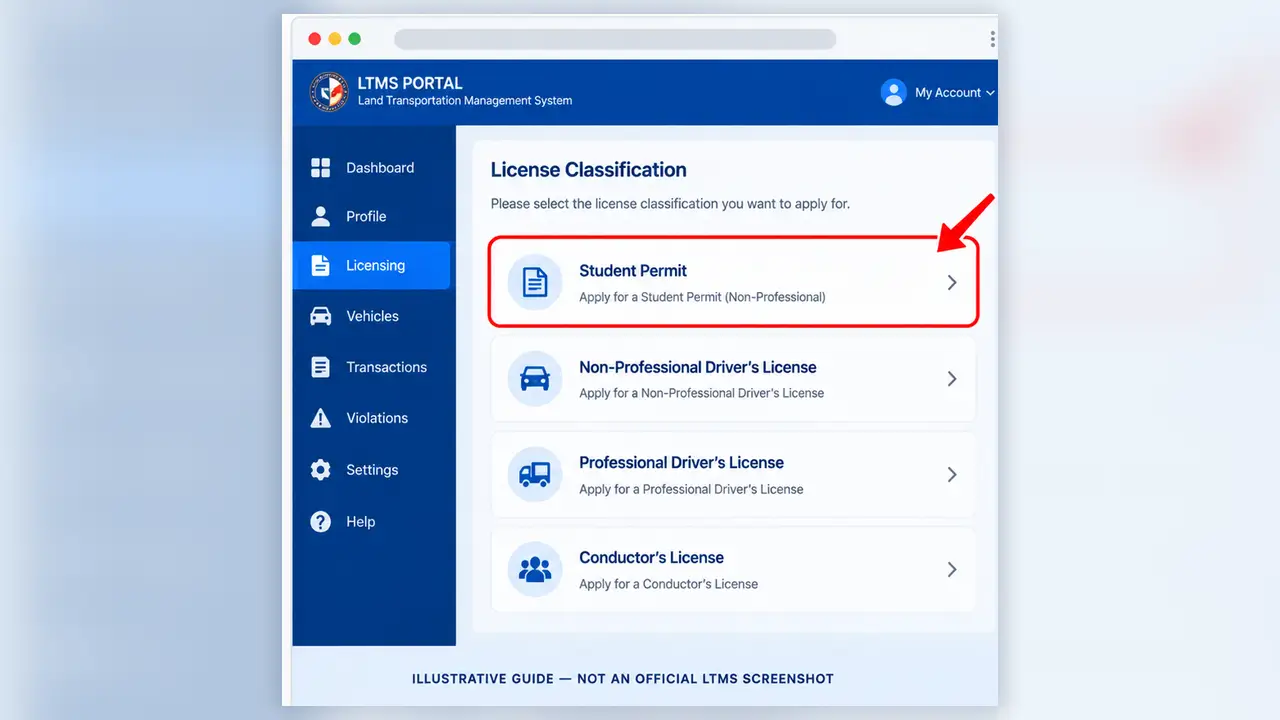
Select Student Permit as Your License Classification
After accepting the Licensing Terms of Use, continue to the available license classification options. Select Student Permit to proceed with the correct application process.
- Open the available Online Application or License Classification screen.
- Review the license-related options displayed in your LTMS account.
- Find and select the Student Permit option.
- Review any instructions, eligibility requirements, or additional details shown for the selected service.
- Click Next, Continue, or the equivalent button displayed by the official portal.
- Follow the next application screen to provide or verify the information required for your Student Permit.
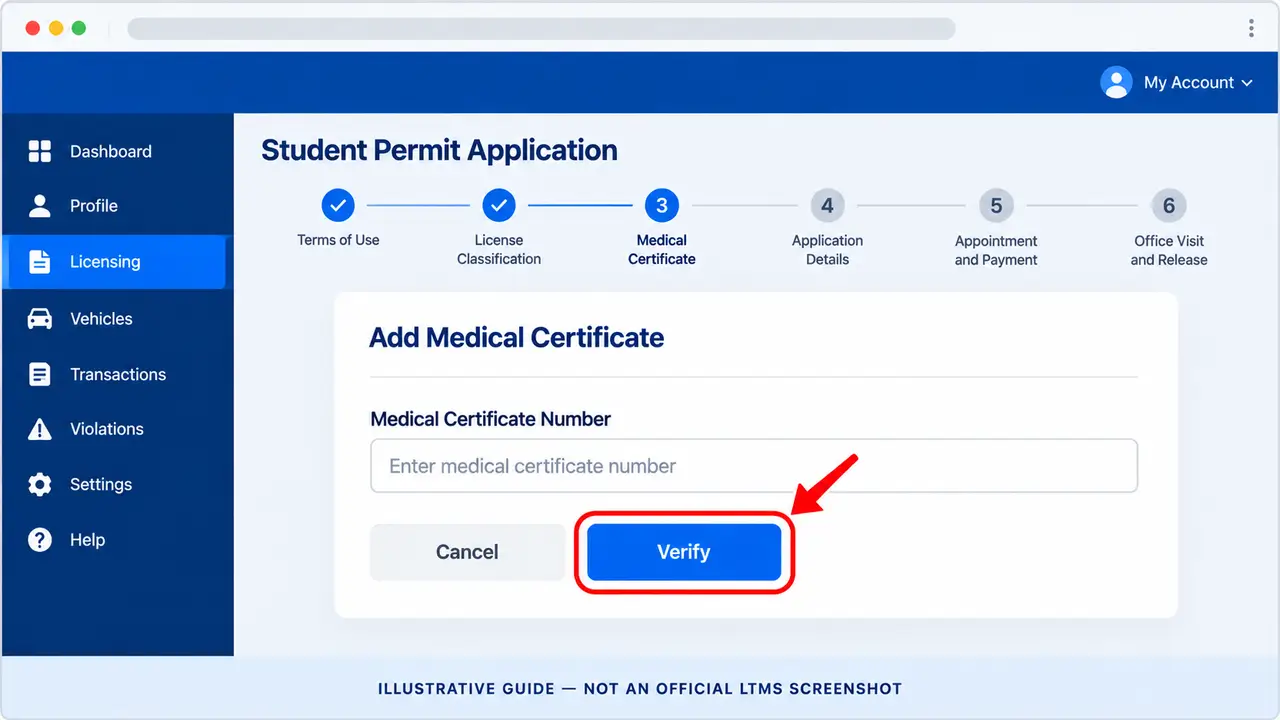
Add and Verify Your Medical Certificate
Before continuing with your Student Permit application, make sure your medical certificate has been issued by an LTO-accredited medical clinic and electronically transmitted to the LTO system.
- Open the medical certificate section of your ongoing Student Permit application, if requested by LTMS.
- Click Add Medical Certificate or the equivalent option shown on the official portal.
- Locate the Medical Certificate Number issued by your accredited clinic.
- Enter the certificate number carefully in the required field. Check the characters and digits before proceeding.
- Click Verify to let LTMS check the submitted medical certificate record.
- Review the verification result. If the certificate is recognized, continue with the instructions displayed for your application.
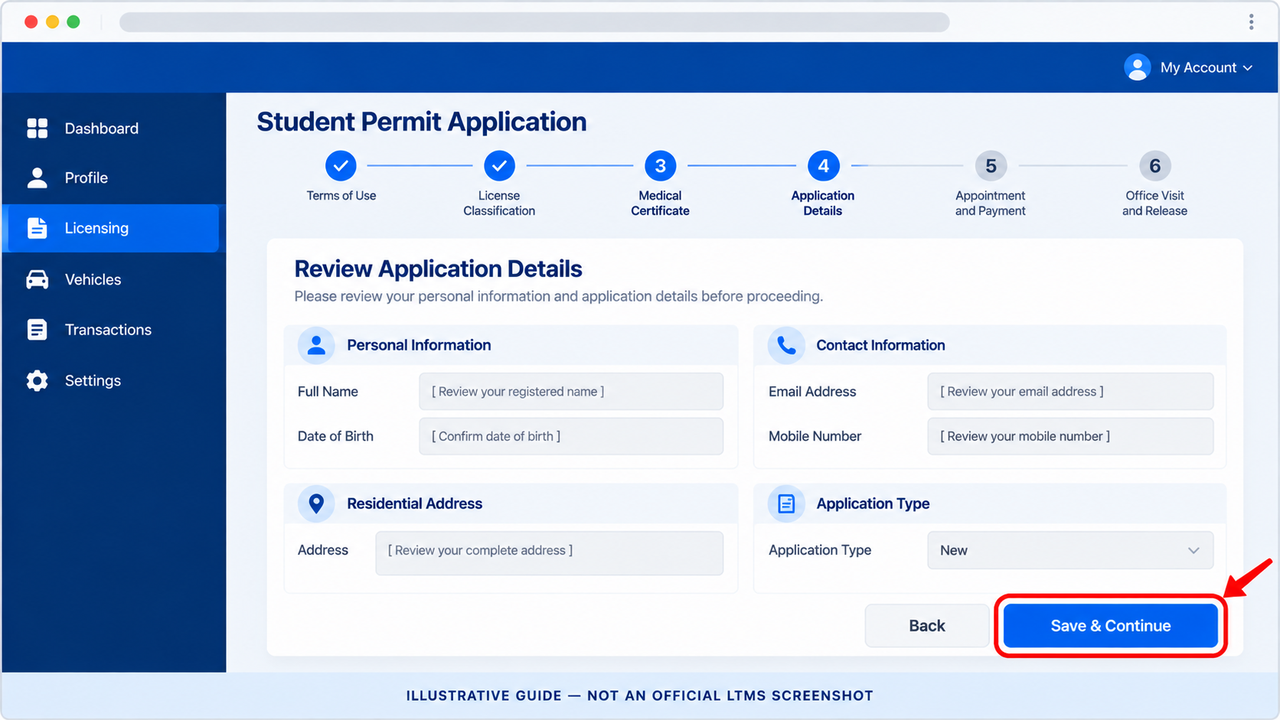
Review Your Personal Information & Complete Application Details
After verifying your medical certificate, continue to the Student Permit application form. Review your account details carefully and complete any information requested by the official LTMS Portal.
- Review your personal details. Check your registered name, date of birth and other information against your accepted identity documents.
- Check your contact information. Confirm that your email address and mobile number are accurate.
- Review your residential address. Complete any missing address fields using your correct information.
- Confirm the application type. Choose New if the portal asks whether you are applying for a new Student Permit.
- Complete required fields. Provide any additional information specifically requested by the application form.
- Check everything before proceeding. Use Save, Submit, Next or the equivalent option shown by LTMS after reviewing your details.
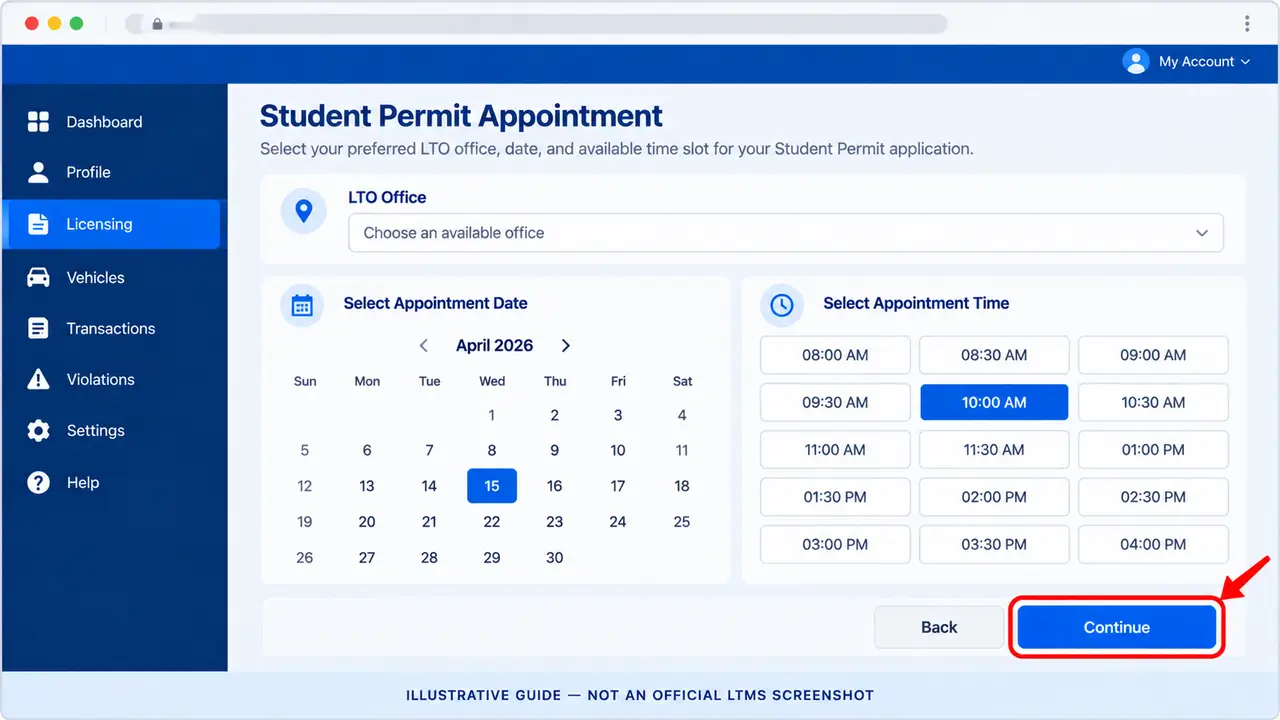
Choose Your LTO Office & Appointment Schedule
After completing your Student Permit application details, follow the LTMS appointment instructions to select an available LTO office, preferred appointment date and time.
- Open the appointment section. Continue from your completed Student Permit application form to the available scheduling options.
- Select your LTO office. Choose an available licensing office or agency location where you can complete the remaining requirements.
- Choose an appointment date. Select a date from the available calendar options displayed by LTMS.
- Select a time slot. Choose an available appointment time for your preferred date.
- Review your selection. Check the selected LTO office, appointment date and time carefully before proceeding.
- Continue to the next stage. Use Continue, Next or the equivalent button shown by LTMS to proceed toward transaction confirmation and payment.
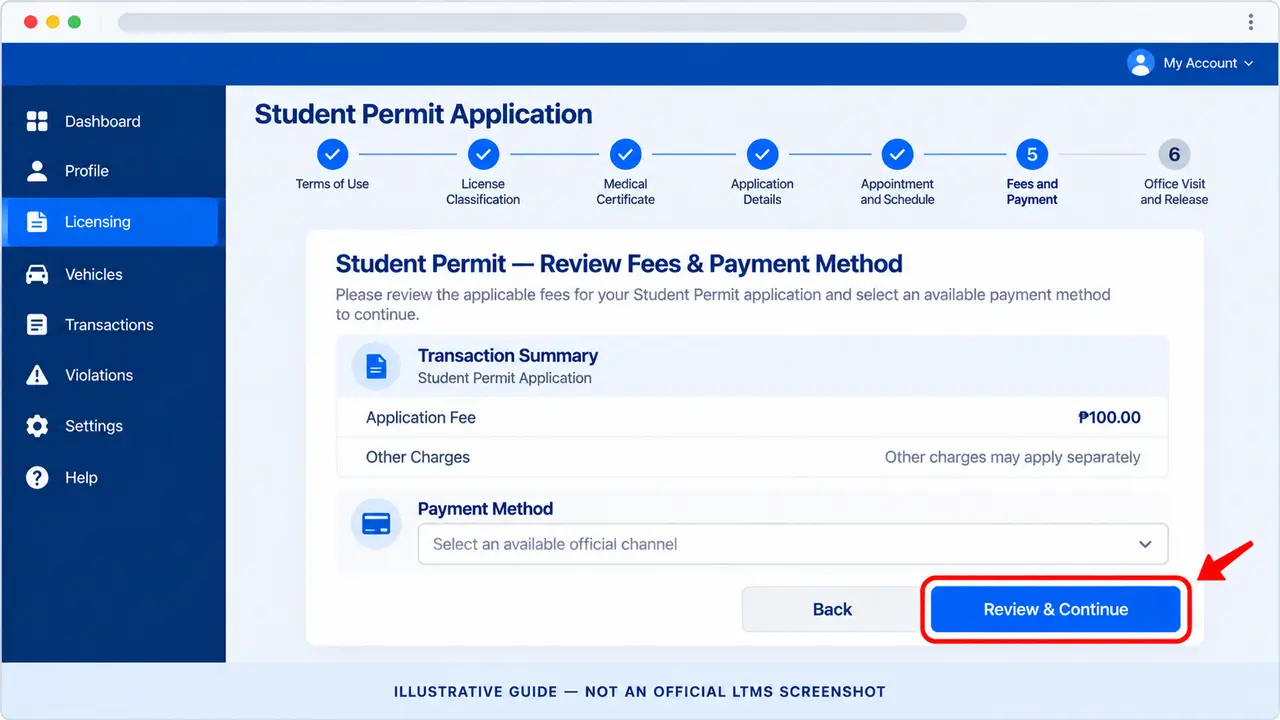
Review Application Fees & Select a Payment Method
After selecting your LTO office and appointment schedule, continue to the payment stage of your Student Permit application. Review the charges and choose an available official payment method.
- Open the payment stage. Continue from your appointment selection and review the transaction details displayed.
- Check the application fee. The LTO Citizen’s Charter 2025 lists a ₱100 application fee for this online stage. Verify the actual amount shown in your transaction.
- Review other charges. Check whether any additional authorized payment-channel fees are displayed before proceeding.
- Select a payment method. Choose one of the official payment channels currently offered by LTMS.
- Confirm your selection. Review the selected payment channel and follow the on-screen instructions to proceed.
- Keep your transaction reference. Save the application confirmation and payment instructions. Complete payment using the authorized channel indicated.
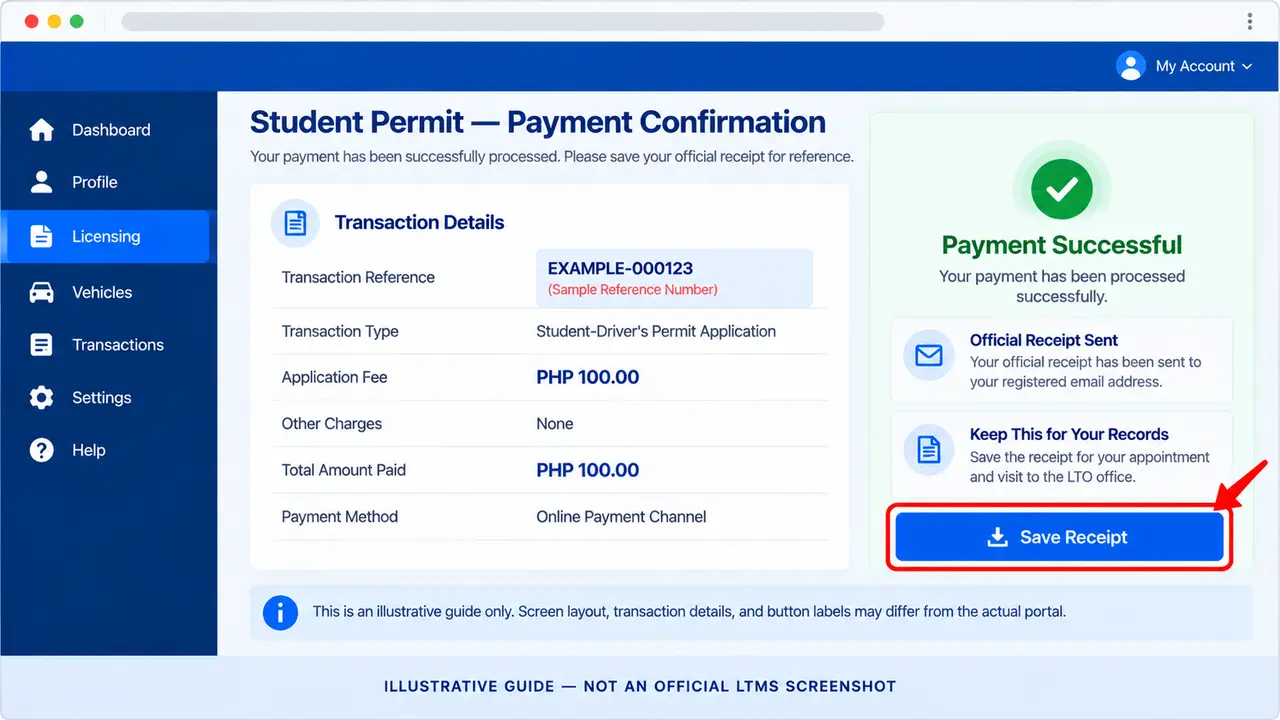
Complete Payment and Save Your Official Receipt
After selecting an official payment method, follow the instructions provided for your Student Permit application. Complete the required application fee payment and retain your transaction confirmation and Official Receipt.
- Check your application confirmation. Review the transaction reference and payment instructions provided by LTMS.
- Open the selected payment channel. Follow the official payment instructions without using unrelated or unofficial links.
- Complete the payment. Pay the amount shown for your transaction through the selected authorized channel.
- Check the transaction status. Confirm that the payment was successfully recorded before attempting another payment.
- Check your registered email. Look for the Official Receipt issued for your paid application. Also check your spam folder if necessary.
- Save your receipt. Download or securely store your Official Receipt and transaction reference for your scheduled LTO office visit.
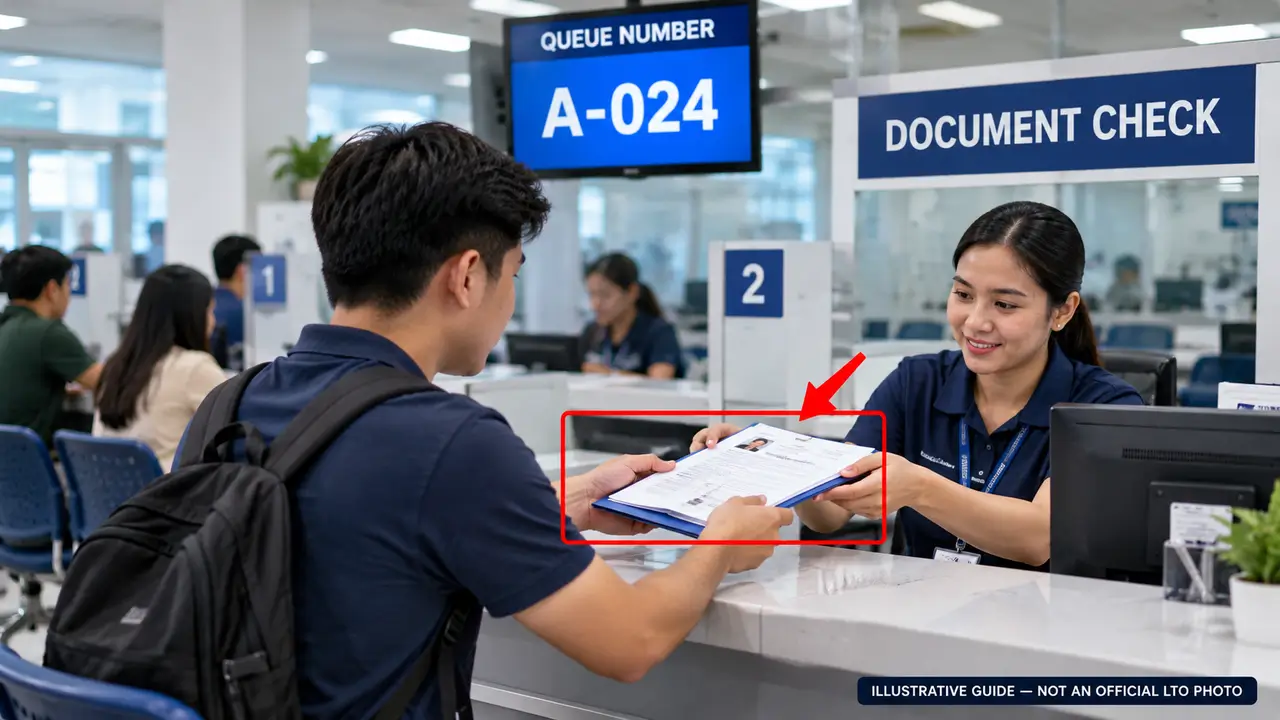
Visit the LTO Office & Submit Your Requirements
After completing your online Student Permit application and payment, visit your selected LTO office on the scheduled date. Bring your original documents, photocopies, and transaction confirmation so the evaluator can review your requirements.
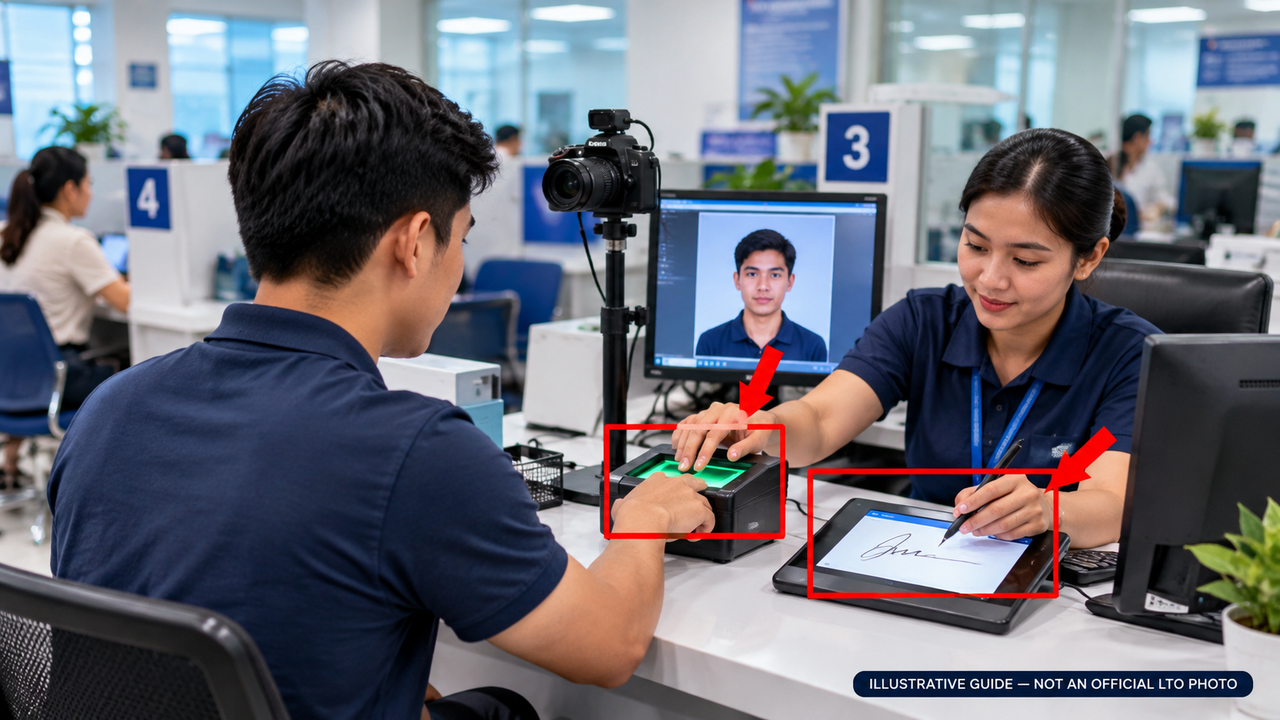
Complete Biometrics, Photo & Signature Capture
Once your Student Permit documents have been evaluated, proceed to the designated biometric capture counter when instructed by LTO personnel. Your fingerprints, photograph, and signature will be recorded as part of your application.
- Wait for your name or queue number. Follow the instructions given by the Client Service Officer after your documents are accepted.
- Proceed to the biometric counter. Go to the designated station and present your transaction or identification details if requested.
- Provide your fingerprints. Place your fingers on the fingerprint scanner as directed by LTO personnel.
- Have your photograph taken. Follow the officer’s instructions for positioning and looking at the camera.
- Provide your digital signature. Sign using the electronic signature device when asked.
- Follow the next processing instruction. After biometric capture, keep your queue or transaction details and proceed as directed to the cashier for the applicable permit issuance fee.
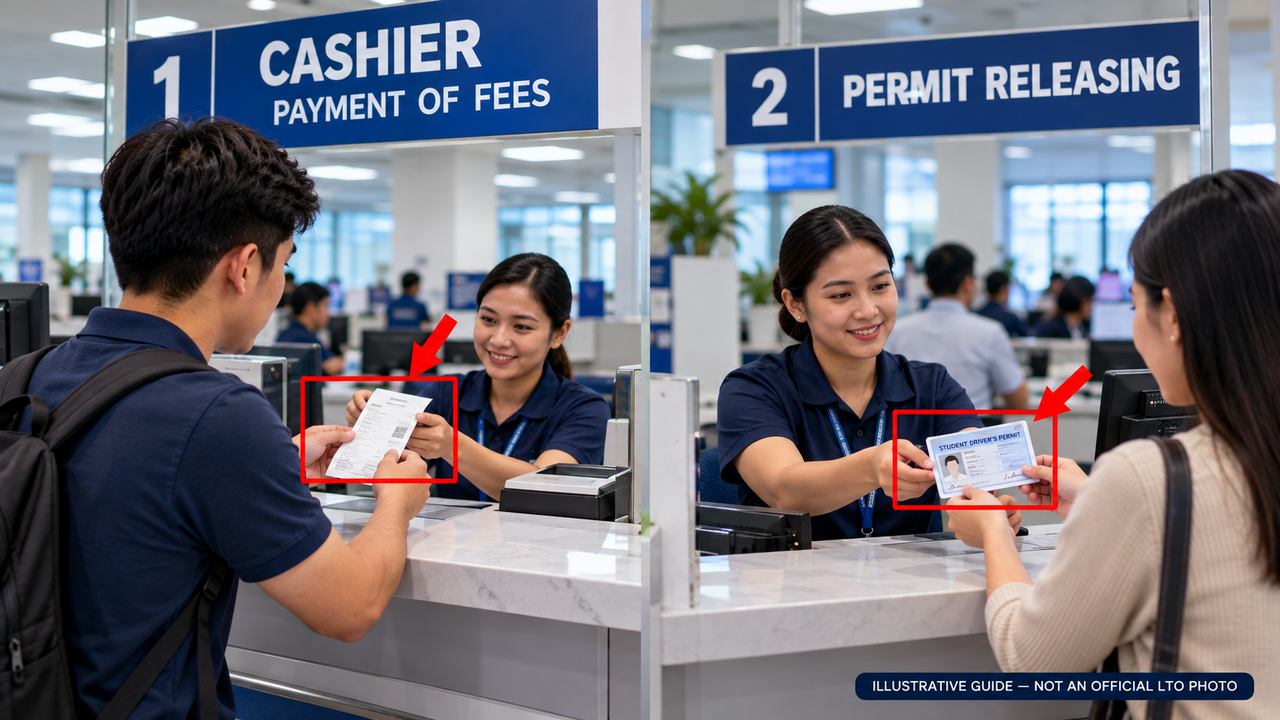
Pay the Permit Issuance Fee & Claim Your Student Permit
After completing biometric capture and the required office processing, proceed to the designated cashier to pay the Student-Driver’s Permit issuance fee. Keep the Official Receipt and wait for the releasing officer to call your name to collect your printed permit.
- Proceed to the cashier. Follow the instructions given by LTO personnel after your biometric details have been captured.
- Pay the permit issuance fee. The published fee for issuing a new Student-Driver’s Permit is ₱150. Confirm the amount with the cashier.
- Receive your Official Receipt. Check the receipt and keep it safely as proof of payment.
- Wait at the releasing area. The releasing officer will arrange the printing and release of the approved Student-Driver’s Permit.
- Sign the release logsheet. When your name is called, follow the release instructions and sign the required logsheet.
- Claim and check your permit. Receive your printed Student Permit and review your name, personal details and issuance information. Report any errors before leaving.
Published LTO Government Fees
This fee breakdown covers the listed LTO application and issuance fees. Medical examination, driving education and applicable payment-channel charges are separate.
Student Permit Validity, Driving Restrictions & Renewal
After receiving your Student-Driver’s Permit, it is important to understand how long it remains valid, when you are allowed to practice driving, and what to do if your permit expires before obtaining a regular driver’s license.
- One-year validity. A Student Permit is generally valid for one year from its issuance date. Check the actual dates printed on your permit.
- No independent driving. A Student Permit does not authorize you to drive alone. You must be accompanied by a qualified, appropriately licensed driving instructor under applicable LTO rules.
- Follow vehicle restrictions. Practice only with the vehicle categories permitted under the supervising driver’s license codes and the relevant LTO regulations.
- Complete practical training on time. After the permit’s one-year validity period, it cannot be used for purposes of the Practical Driving Course (PDC).
- Renewal may be available. If you are not ready to apply for a regular driver’s license, check the LTO Student Permit renewal requirements and fees.
- Two-year rule. After two years from the original issuance date, a new Student Permit and new apprenticeship period are required under the published LTO rules.
How to Renew Your Student Permit in the Philippines
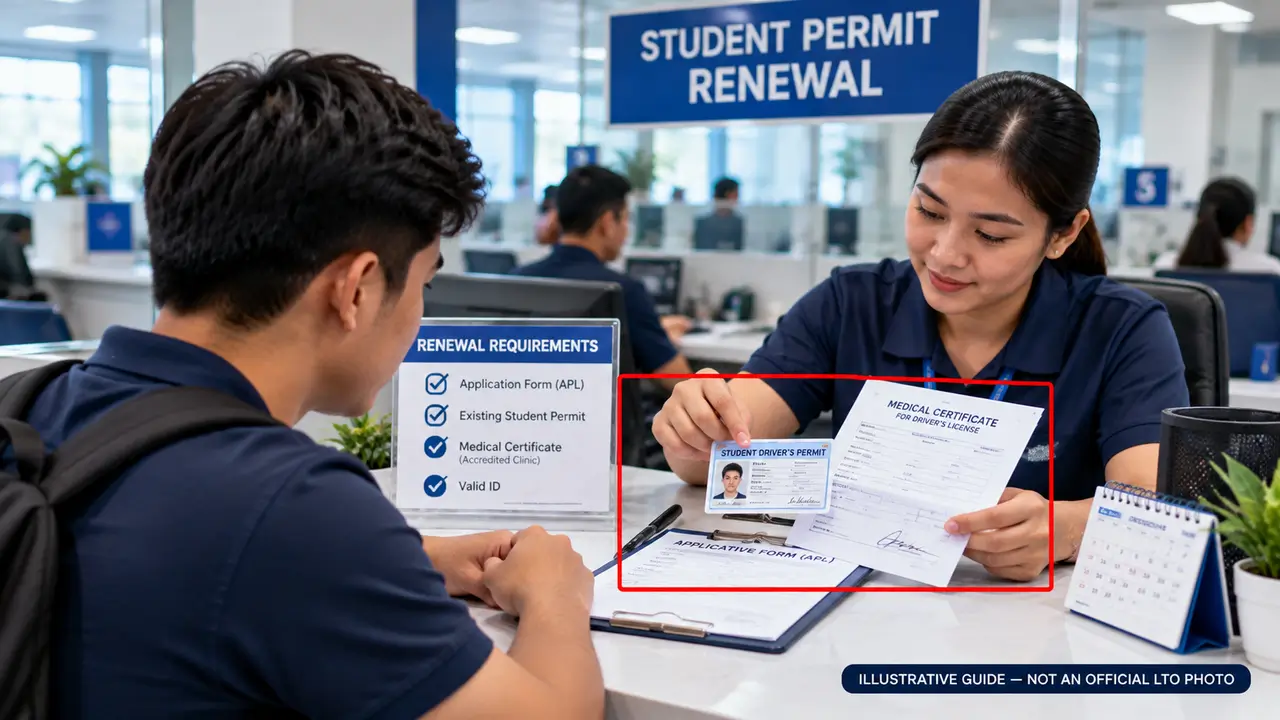
If you have not yet obtained a regular driver’s license, you may need to renew your Student-Driver’s Permit. Learn which documents to prepare, how the renewal procedure works, and when a new permit and Theoretical Driving Course are required.
- Check your permit’s original issuance date. Confirm whether you are still eligible for ordinary renewal or must apply for a new Student Permit after the two-year period.
- Complete the APL e-Form. Prepare the duly accomplished Application for Permits and Licenses (APL) e-Form with accurate personal details.
- Prepare your existing Student Permit. Bring the permit for presentation and keep your LTMS account or transaction information available where required.
- Obtain the required medical certificate. Visit an LTO-accredited medical clinic. The certificate must be electronically transmitted to LTO. Present the original and submit one photocopy.
- Check whether TDC proof applies. Ordinary renewal does not generally require completing TDC again. Special certificate requirements apply to permits issued before August 3, 2020.
- Submit your renewal application. Follow the available official LTMS or LTO licensing-office instructions, including any appointment, document verification, and processing requirements.
- Pay the applicable renewal fee. Follow official payment instructions, keep your Official Receipt, and collect the renewed permit after the application is approved.
Official sources: LTO Renewal Clarification · LTO Citizen’s Charter 2025
Common Student Permit Problems and How to Solve Them
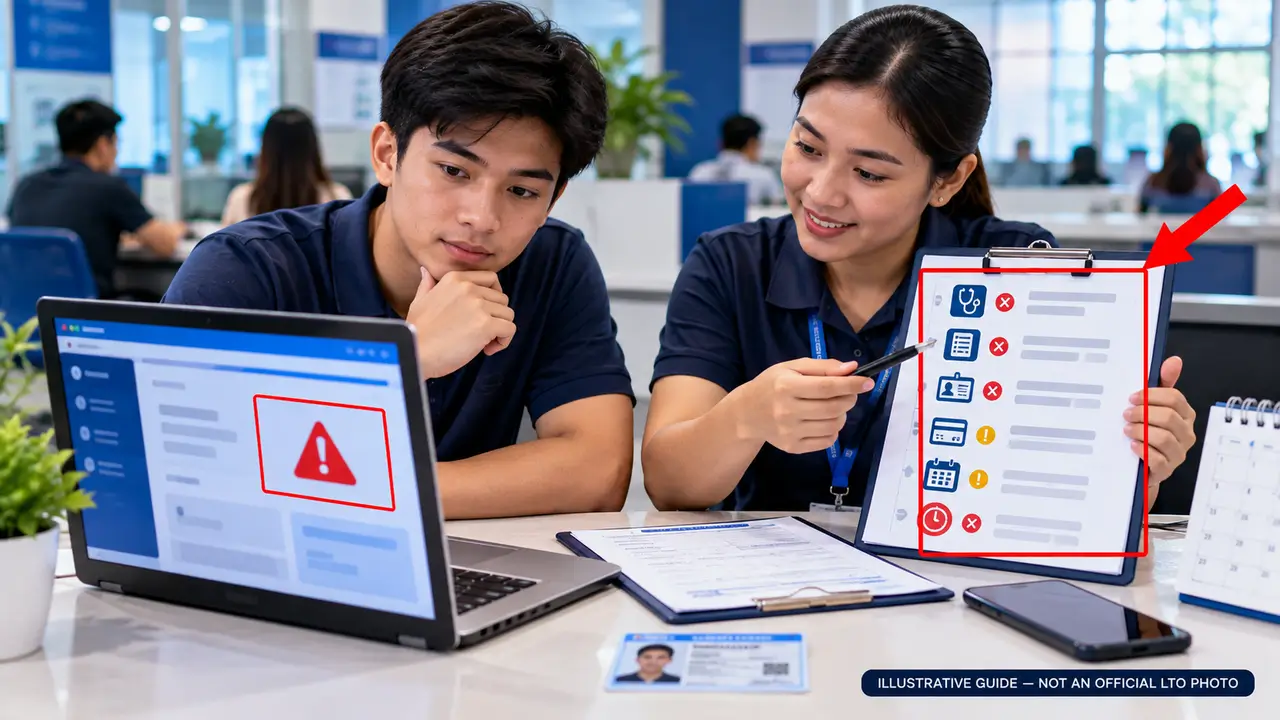
Student Permit applicants may experience problems with medical certificate verification, driving course records, appointment booking, payments, or documents. Use this troubleshooting guide to understand possible causes and the next steps to take.
-
Medical Certificate Not Found
Solution: Check the certificate number. If the record is still unavailable, ask the issuing LTO-accredited clinic to confirm electronic transmission to LTMS.
-
TDC Certificate Not Reflected
Solution: Contact your accredited driving school or training provider to verify that your completion record was transmitted. Keep your certificate for reference.
-
Incorrect Personal Information
Solution: Compare your account details with your accepted identity documents. If a field cannot be edited, ask LTO about the official correction process.
-
No Appointment Slots Available
Solution: Check other available dates or eligible LTO offices shown by the portal. Do not treat a selected schedule as confirmed without official confirmation.
-
Payment Pending or Receipt Missing
Solution: Check the transaction status, payment reference, and registered email. Avoid making a duplicate payment until the first transaction has been checked.
-
Missing or Rejected Documents
Solution: Review the applicable LTO document checklist. Obtain the correct originals, photocopies, parental consent, or other supporting records as instructed.
-
Student Permit Has Expired
Solution: Check the original issuance date and current LTO renewal rules. The applicable procedure may differ after two years from original issuance.
-
Cannot Access the LTMS Portal
Solution: Check your login credentials, security code and internet connection. Use the official password recovery process if necessary. Contact LTO Client Care if the problem continues.
Still Need Help With Your Application?
If the problem remains unresolved, contact LTO through its official LTMS support form. Include your relevant transaction reference and a description of the issue, but never share your password or security code.
Student Permit FAQs: Everything You Need to Know
Find answers to frequently asked questions about Student Permit eligibility, the LTMS application, driving education, medical requirements, validity, renewal, and driving restrictions in the Philippines.
1. What is the minimum age for a Student Permit?
Filipino applicants must be at least 16 years old. Foreign applicants must generally be at least 18 years old and meet LTO requirements concerning their stay in the Philippines.
2. Can I apply without a driver’s license?
Yes. A Student Permit is intended for eligible people learning to drive. You do not need to hold an existing regular driver’s license before applying for your first Student Permit.
3. Is the Theoretical Driving Course mandatory?
Yes. First-time Student Permit applicants must complete the required 15-hour Theoretical Driving Course (TDC) and obtain the appropriate completion record from an authorized provider.
4. Do I need a Practical Driving Course for a Student Permit?
The Practical Driving Course (PDC) is generally associated with a subsequent driver’s license application, not the initial Student Permit application. The required course for a first-time Student Permit is the TDC.
5. Can I apply for a Student Permit through LTMS?
LTMS supports eligible Student Permit application transactions. Depending on the current process, applicants may need to complete online application, appointment and payment stages, followed by an LTO office visit.
6. Do I need a medical certificate?
Yes. Applicants must obtain a medical certificate from an LTO-accredited medical clinic. The record must be electronically transmitted to LTO, and the required copies must be presented during processing.
7. Can a 16-year-old apply without parental consent?
No. An applicant who is below 18 years old must provide the required written parent or guardian consent and supporting identification documents.
8. How much does a new Student Permit cost?
The LTO Citizen’s Charter lists a ₱100 application fee and a ₱150 permit issuance fee for the applicable new-permit process, totaling ₱250 in those government charges. Medical examinations, training, and payment-provider fees are separate.
9. How long is a Student Permit valid?
A Student Permit is generally valid for one year from its issuance date. Check the dates printed on your permit and any applicable official LTO extensions.
10. Can I drive alone with a Student Permit?
No. A Student Permit does not authorize independent driving. You must follow the supervision requirements involving a qualified driver holding an appropriate driver’s license.
11. Can I drive a motorcycle with a Student Permit?
Motorcycle driving practice is subject to applicable LTO requirements and supervision by a qualified, properly licensed driver. A Student Permit alone does not give unrestricted authorization to operate a motorcycle.
12. Can I renew my Student Permit after it expires?
Renewal may be available under LTO rules, depending on the original issuance date and applicable requirements. After two years from original issuance, the holder must apply for a new Student Permit and complete a new apprenticeship period.
13. Must I repeat TDC when renewing a Student Permit?
Generally, no. In its December 2025 clarification, LTO stated that a new TDC is not required for ordinary renewal. However, after two years from original issuance, a new TDC is required for a new Student Permit. Special rules also apply to older permits.
14. What if my TDC certificate is missing from LTMS?
Contact the authorized training provider that issued your certificate. Ask whether your training record was transmitted to the LTO system. Keep your original certificate for reference.
15. How soon can I apply for a Non-Professional License?
Applicants generally need to hold a Student Permit for at least one month before applying for a Non-Professional Driver’s License. They must also satisfy the relevant age, practical training, examination and documentary requirements.
16. What should I do if my permit has incorrect details?
Report the incorrect information to the LTO personnel or licensing office handling your transaction. Request the proper correction procedure and present the supporting documents. Do not attempt to alter the permit yourself.
What to Do After Getting Your Student Permit
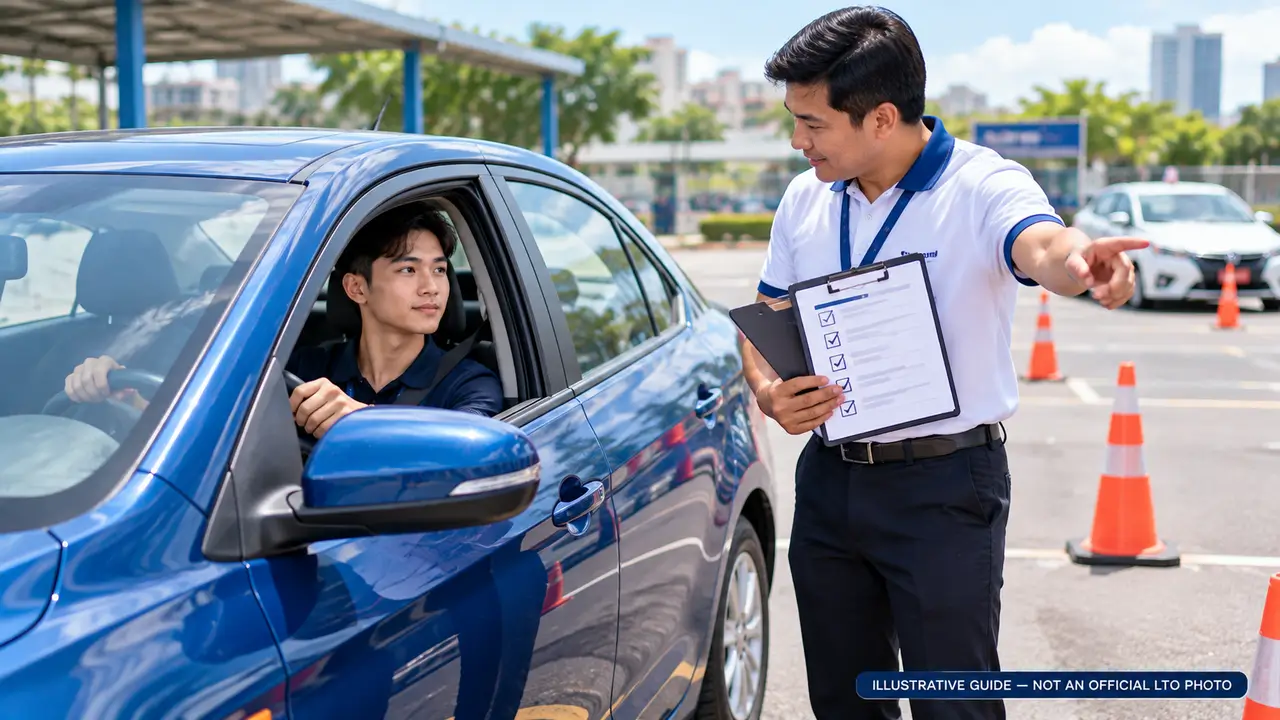
Receiving your Student-Driver’s Permit is the beginning of your driving journey. Before applying for a regular Non-Professional Driver’s License, complete the required practical training and make sure you meet LTO’s eligibility, documentation, and examination rules.
- Keep your Student Permit safe. Check its issuance date, expiry date, and personal information. Keep your related LTO records.
- Practice driving under supervision. Follow the applicable learner-driver rules. Do not drive independently with a Student Permit.
- Complete the Practical Driving Course. Enroll with an LTO-accredited provider and obtain the required PDC completion record for your intended license codes.
- Meet the minimum waiting period. For a new Non-Professional Driver’s License, hold your Student Permit for at least one month from issuance.
- Check age and medical requirements. Filipino applicants generally must be at least 17 years old; foreign applicants must be at least 18. Other LTO qualifications also apply.
- Prepare for licensing examinations. Study traffic rules and driving fundamentals. Applicants must pass the required theoretical examination and practical driving test.
New Non-Professional Driver’s License: Overview & Eligibility
A Non-Professional Driver’s License (NPDL) allows qualified individuals to operate motor vehicles under the authorized driver’s license codes issued by the Philippine Land Transportation Office (LTO). Learn the age, training, medical, and examination requirements before beginning your application.
- Meet the minimum age. Filipino applicants must be at least 17 years old. Foreign applicants must be at least 18 years old.
- Hold a Student Permit for at least one month. You must satisfy the minimum permit-holding period before applying for a new NPDL.
- Complete the Practical Driving Course. Successfully finish the PDC through an authorized or LTO-accredited training provider.
- Meet medical fitness requirements. Applicants must be physically and mentally fit to operate the relevant motor vehicle.
- Meet language requirements. Applicants must be able to read and write in Filipino or English under the published eligibility rules.
- Have no unsettled traffic violations. Resolve outstanding violations before proceeding with your licensing transaction.
- Pass the required examinations. Applicants must successfully complete the automated theoretical examination and practical driving test.
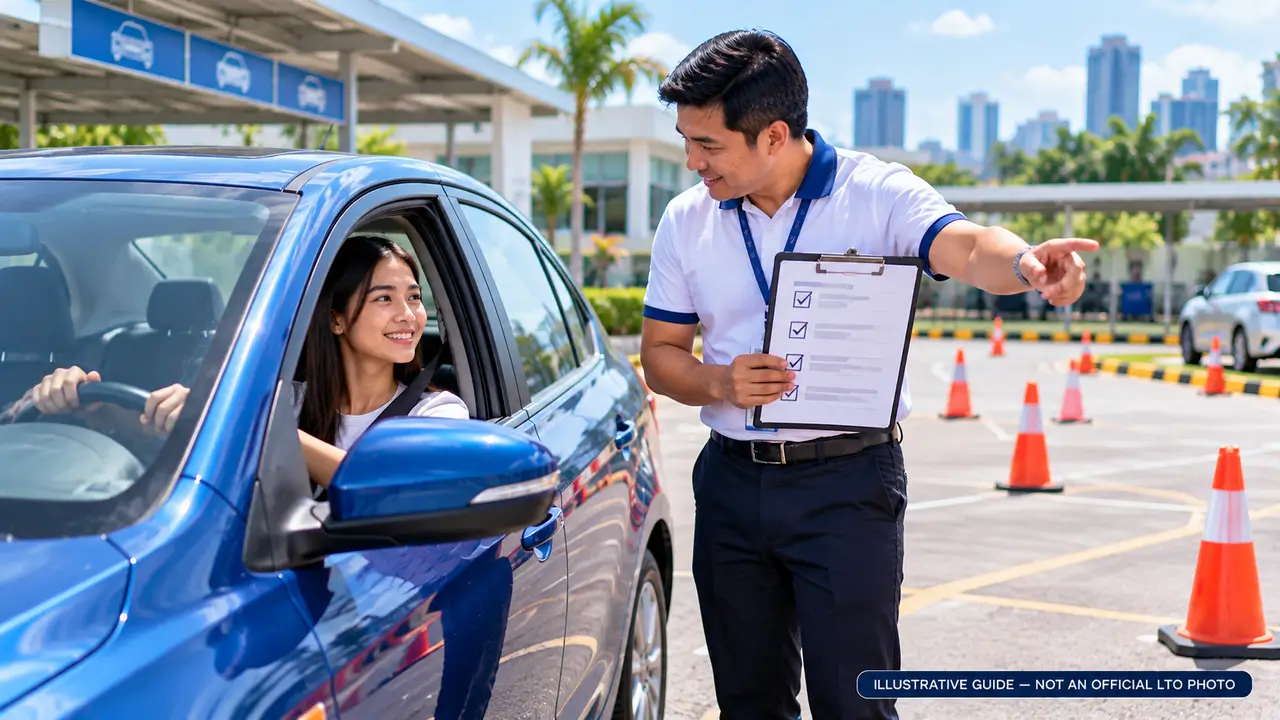
Documents Required for a Non-Professional Driver’s License
Prepare these documents before submitting your new Non-Professional Driver’s License application to the LTO.
Application Form (APL)
Complete the Application for Permits and Licenses with accurate applicant information.
Valid Student Permit
Present your valid Student Permit, held for at least one month from its issuance date.
Medical Certificate
Obtain a certificate from an LTO-accredited medical clinic, electronically transmitted to LTO, with required copies.
Practical Driving Course (PDC)
Present the required PDC completion certificate from an authorized training provider. Electronic transmission is required.
Parental or Guardian Consent
Required for 17-year-old applicants, along with the parent or guardian’s accepted government-issued ID.
Other Applicable Documents
TIN if employed, and any additional identity, residence or immigration documents required for your applicant category.
Practical Driving Course (PDC) & New License Application
Before applying for a Non-Professional Driver’s License, complete the required practical training and prepare your application details. Follow the available LTMS instructions and any required LTO office procedures.
- Choose an accredited PDC provider. Confirm that the driving school or authorized training center is recognized by LTO.
- Complete practical driving training. Attend at least eight hours of required practical instruction per driver’s license code applied for.
- Obtain your PDC completion record. Meet the provider’s assessment requirements and confirm that your course result is recorded as required by LTO.
- Sign in to your LTMS account. Visit the official portal and open the available licensing services.
- Select the new license transaction. Follow the available options for a Non-Professional Driver’s License application and review your personal, medical and training information.
- Continue with LTO processing. Follow any appointment, payment, document evaluation, theoretical examination and practical driving test instructions shown for your application.
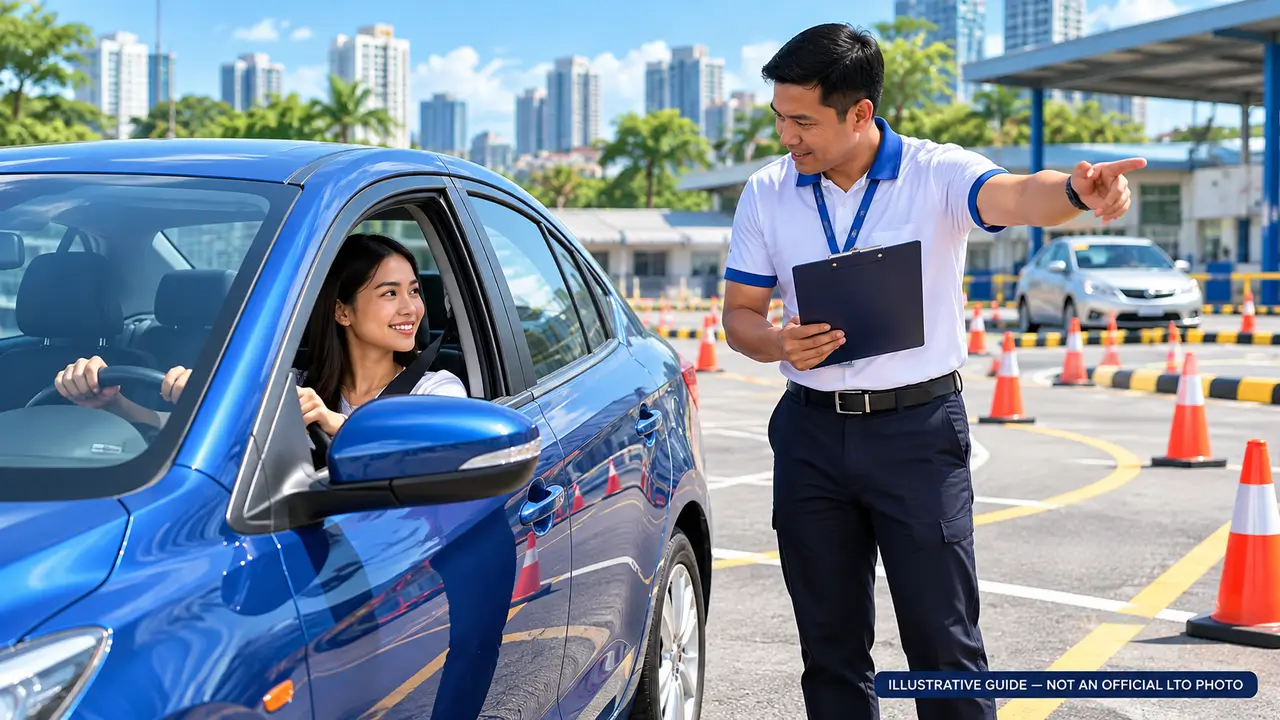
New Driver’s License Exams, Fees & Issuance Process
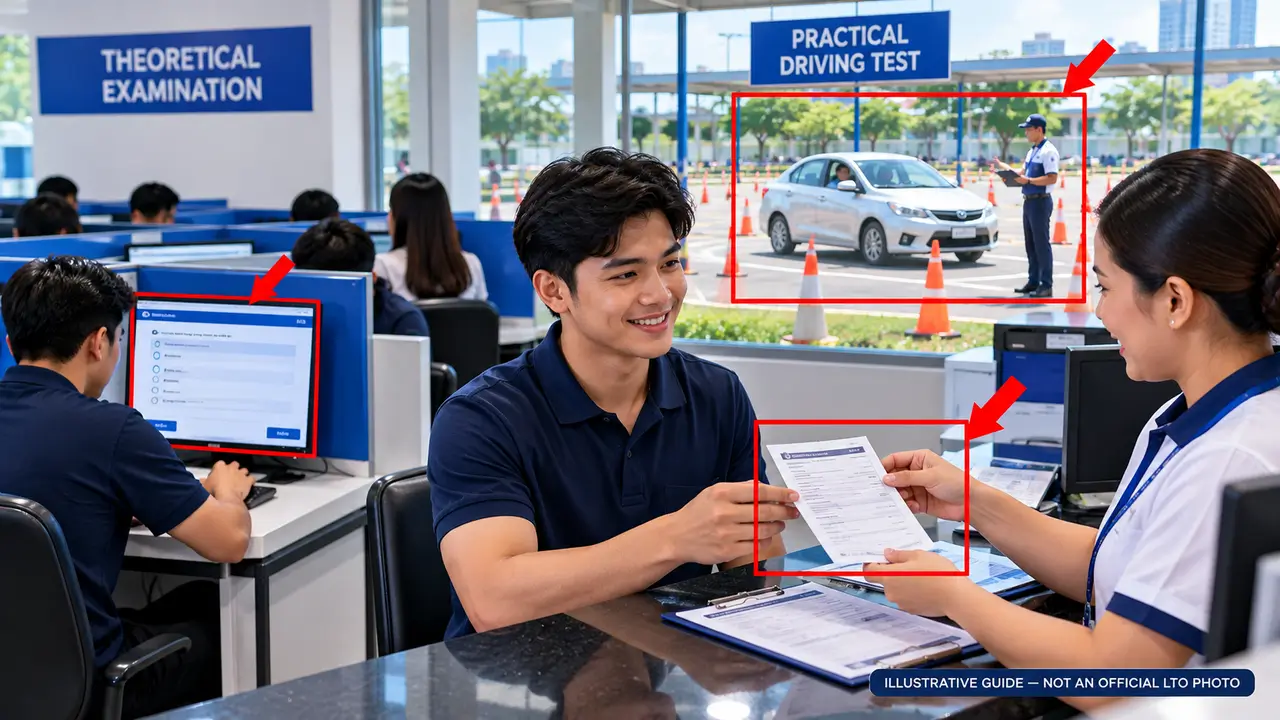
After completing your Practical Driving Course and submitting the required documents, you must pass the LTO licensing examinations. Successful applicants complete the applicable payment and release procedures to receive their Non-Professional Driver’s License.
- Complete document evaluation. Present the required originals, certificates and application information for LTO verification.
- Complete required biometrics. Follow LTO instructions for fingerprint, photograph and signature capture where required.
- Take the theoretical examination. Answer the computer-based knowledge test on traffic rules, signs, safety and driving responsibilities.
- Pass the practical driving test. Demonstrate the required driving skills for your requested driver’s license codes.
- Pay the driver’s license fee. After passing the required tests, follow the cashier’s instructions and obtain your Official Receipt.
- Claim and check your license. Present your receipt at the releasing counter when instructed. Check your personal details and authorized license codes upon issuance.
Published LTO Standard Fees
Based on the LTO Citizen’s Charter 2025. Medical, driving school, applicable additional fees and examination retake charges are separate.
Non-Professional Driver’s License Frequently Asked Questions
Find answers to common questions about first-time licensing, eligibility, required documents, the Practical Driving Course, LTO examinations, fees, and license validity.
1. What is the minimum age for a Non-Professional License?
Filipino applicants must be at least 17 years old. Foreign applicants must generally be at least 18 years old and meet the applicable LTO eligibility requirements.
2. Do I need a Student Permit first?
Yes. A first-time applicant normally needs a valid Student Permit held for at least one month before applying for a Non-Professional Driver’s License.
3. Is the Practical Driving Course mandatory?
Yes. Applicants must successfully complete the required Practical Driving Course (PDC) and provide the appropriate completion record from an authorized provider.
4. Do I need another medical certificate?
You must have a valid medical certificate meeting the requirements for your license application. The record must come from an LTO-accredited clinic. Whether a previous certificate can be reused depends on its validity and LTO requirements.
5. Can I apply through LTMS?
LTMS supports eligible licensing transactions, but applicants may still need to visit an LTO office for examinations, verification, biometrics, payment and license issuance.
6. Do I need to pass both theoretical and practical tests?
Yes. First-time license applicants must pass the required theoretical examination and practical driving test for their intended license codes.
7. How much does a new Non-Professional License cost?
The published standard LTO fees include a ₱100 application fee and a ₱585 driver’s license fee, totaling ₱685. Medical, PDC, retake and other applicable charges are separate.
8. What if I fail the practical driving test?
A retake may be permitted under LTO rules. The published procedure generally requires waiting at least seven calendar days after a failed practical test. Follow LTO instructions for retake scheduling and fees.
9. How long is a new driver’s license valid?
A newly issued Non-Professional Driver’s License is generally valid for five years, subject to suspension, revocation or other applicable rules.
10. Can I receive a 10-year driver’s license immediately?
Generally, no. The 10-year validity benefit applies to eligible license renewals for drivers meeting the applicable violation-free requirements. A new license normally receives five-year validity.
11. Can a 17-year-old apply without parental consent?
No. Seventeen-year-old applicants must provide the required parent or guardian consent together with supporting identification documentation.
12. Can I drive any type of vehicle with this license?
No. You may operate only the vehicle categories covered by the driver’s license codes and conditions printed on your license. Additional qualifications may be required for other vehicle categories.
Driver’s License Renewal Requirements & CDE Guide
Before renewing your Non-Professional or Professional Driver’s License, prepare the required documents, check your medical certificate, and determine whether the Comprehensive Driver’s Education (CDE) requirement applies to you.
Documents Required for Renewal
Application Form (APL)
Complete the Application for Permits and Licenses with accurate and updated details.
Existing Driver’s License
Present your current or expired driver’s license during the renewal transaction.
Medical Certificate
Obtain a medical certificate from an LTO-accredited clinic. Electronic transmission to LTO is required, together with the applicable original and photocopy.
CDE Certificate, If Applicable
Provide the electronically transmitted CDE completion record when required for your renewal category.
Additional Documents, If Required
Applicants with certain demerit-point records may need a Driver’s Reorientation Course certificate. Advance renewal or special cases may require other documents.
Comprehensive Driver’s Education (CDE)
The CDE program reviews road safety, traffic regulations, responsible driving, and related transportation laws. Applicants who must complete the CDE validation exam can access it using their LTMS account.
CDE Exemption: According to LTO’s published renewal checklist, CDE is no longer required for driver’s license holders issued a Student Permit on or after August 3, 2020, or those who renewed their current driver’s license on or after October 28, 2021.
If CDE applies: Review the official renewal course materials, sign in to LTMS, take the validation exam, and follow the instructions for obtaining your completion certificate.
Official CDE Validation Exam ↗Important: A 10-year driver’s license validity is available to qualified drivers who meet the applicable violation-free renewal requirements. Other renewals generally receive five-year validity, subject to LTO rules. Check for unsettled violations, demerit-point requirements, and any special renewal conditions before proceeding.
How to Renew Your Driver’s License Through LTMS
Follow the renewal process for an eligible Non-Professional or Professional Driver’s License. Prepare your documents, complete the available LTMS transaction, and attend the required LTO office processing to renew your license.
- Sign in to LTMS. Visit the official portal and review your registered profile information before starting a transaction.
- Select License Renewal. Open the available licensing service and choose the driver’s license renewal transaction.
- Review renewal requirements. Check your license details, medical certificate record, and applicable CDE or other course requirements.
- Choose an LTO appointment. Select an available location, appointment date and time through the options displayed in your LTMS transaction.
- Complete the required payment. Select an official payment channel, save your application confirmation, pay the applicable amount, and keep your Official Receipt.
- Visit the LTO licensing office. Present your paid transaction, existing driver’s license and required documents. Follow the queueing, verification and biometric instructions given by staff.
- Collect your renewed license. After approval, follow the releasing instructions. Check the details and expiration date on the issued credential before leaving.
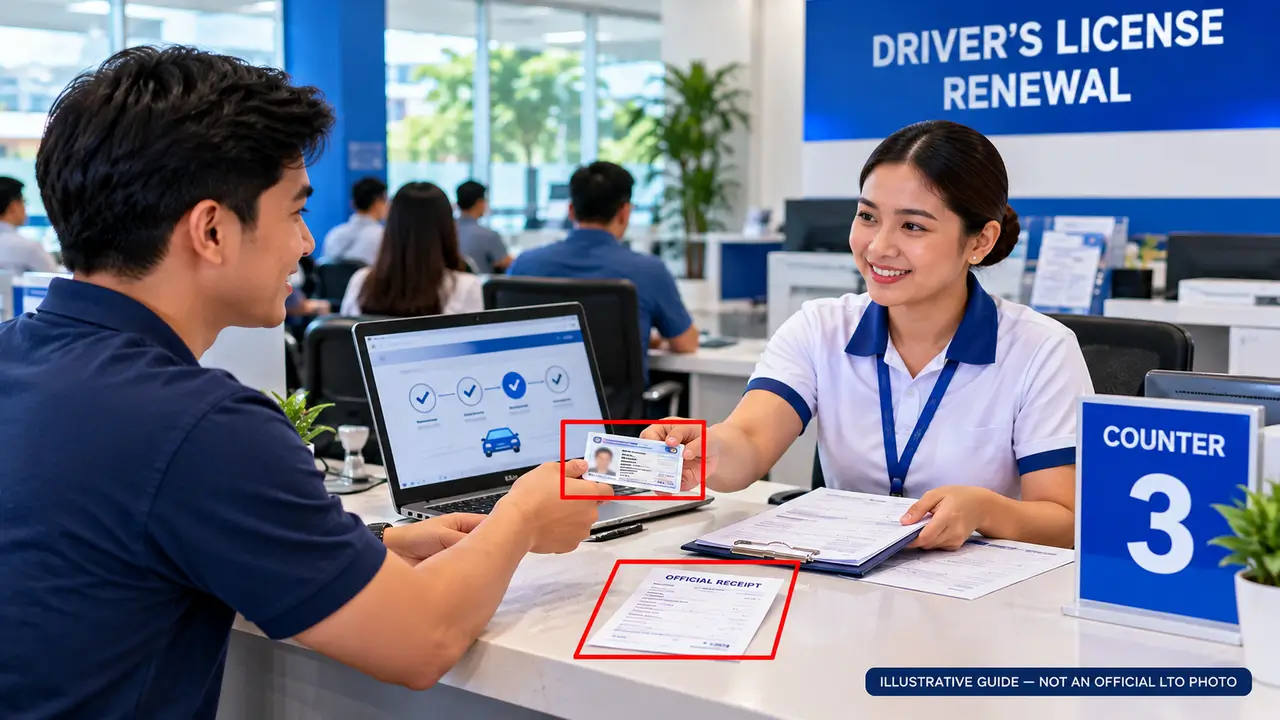
Driver’s License Renewal Fees, Validity & Common Questions
Understand standard renewal fees, late penalties, license validity, and common problems before completing your LTO driver’s license renewal.
Renewal Fees & Late Penalties
| Fee Description | Amount |
|---|---|
| Standard License Renewal | ₱585 |
| Expired 1 Day to 1 Year | + ₱75 |
| Expired Over 1 to 2 Years | + ₱150 |
| Expired Over 2 Years | + ₱225 |
Penalties are additional to the basic renewal fee. Medical examination, examinations and any other applicable authorized charges are separate. Licenses expired for more than two years require additional examination procedures.
Common Renewal Problems
-
Medical Certificate Not Reflected
Confirm that your accredited clinic transmitted the record electronically to LTO.
-
Unsettled Traffic Violations
Check your violation record and follow official settlement requirements before renewal.
-
Cannot Access Your LTMS Account
Use official password recovery or contact LTO Client Care.
-
Renewal Transaction Pending
Check your application status, payment reference and official receipt before paying again.
Frequently Asked Questions
1. How much is the standard driver’s license renewal fee?
The published standard LTO renewal fee is ₱585. Additional penalties or other charges may apply.
2. Can I renew an expired license?
Yes, subject to LTO requirements. Expiry penalties apply. Licenses expired for more than two years require theoretical and practical examinations.
3. How can I qualify for 10-year license validity?
Eligible license holders with no traffic violations during the preceding five-year period may qualify for a 10-year renewal under LTO rules.
4. Is a medical certificate required?
Yes. The medical certificate must meet LTO requirements and come from an accredited medical clinic.
5. Is the CDE exam mandatory for every renewal?
Not for every applicant. LTO has published exemptions for certain license holders. Check the eligibility details in the CDE section above.
6. Can I complete renewal entirely online?
Not necessarily. LTMS supports eligible online transaction stages, but medical checks, verification, biometrics or license release may require in-person processing.
7. What if my license details are incorrect?
Contact the responsible LTO licensing office for the official correction process and required supporting documents.
8. Does paying online mean my license is renewed?
No. Payment alone does not guarantee renewal approval. Complete any remaining LTO verification and issuance requirements.
Explore More LTO Online Services
Continue exploring helpful guides for vehicle services, online learning, traffic violations, payments, and common LTMS Portal problems.
Ready to Access the Official LTMS Portal?
Use the official Land Transportation Management System to access available LTO licensing services, review your transactions, and follow the required application or renewal procedures.
Visit Official LTMS Portal ↗Disclaimer: LTMSPortal.info is an independent informational website and is not affiliated with or endorsed by the Philippine Land Transportation Office (LTO). Applications and official transactions must be completed through authorized LTO channels.